SpeakJet vox
Watch it in action
SpeakJet Vox demonstration
Watch the Polaxis SpeakJet vox in operation.
Watch on YouTube ↗A SpeakJet made playable
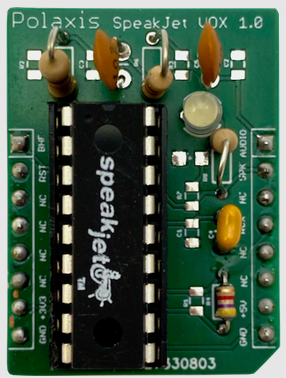
The SpeakJet vox is built around Magnevation’s SpeakJet speech and sound chip. Allophones can be chained into words, and the chip calculates transitions between them as they play. Four prosodic codes—SLOW, FAST, STRESS, and SOFT—can shape the next allophone.
Along with speech, SpeakJet can produce 43 sound effects and 12 DTMF tones. The vox presents these sounds as selectable material for an instrument.
Three ways to play an allophone
A rotary control selects a group: vowels, voiced sounds, voiced stops, voiceless sounds, all allophones, effects, or DTMF tones. A switch selects what takes priority during playback: the gate signal, optimized transitions in the queue, or each allophone’s programmed timing.
In Gate mode, a high gate starts speech and a low gate stops it. Queue mode lets the user fill the SpeakJet buffer and hear its transitions at work. Speech mode follows the timing encoded in each allophone.
MIDI, CV, and hands-on controls
The product page lists MIDI note-on messages for triggering phonemes, with velocity, pitch, speed, and bend control. Firmware choices are offered for TRS MIDI and USB MIDI.
Pitch, rate, bend, and volume can be controlled by CV. Five onboard potentiometers control pitch, rate, bend, repeat, and volume, while the display shows information about the selected sound and adjustments.
Speech files on an SD card
The SD-card mode reads phonetic files, allowing a user—or the instrument’s loop and random modes—to select lines of phoneme sequences. Polaxis provides example phonetic files and dictionaries, including a SpeakJet phonetic dictionary based on CMUdict.
Specifications
- Speech and sound chip
- One Magnevation SpeakJet
- Sound groups
- Vowels, voiced sounds, voiced stops, voiceless sounds, all allophones, effects, and DTMF
- Playback modes
- Gate, optimized queue transitions, and allophone timing
- MIDI
- TRS MIDI or USB MIDI firmware; note-on phoneme triggering
- CV control
- Pitch, rate, bend, and volume
- Storage
- SD card for phonetic files
Sources and further reading
Speech hardware
SpeakJet
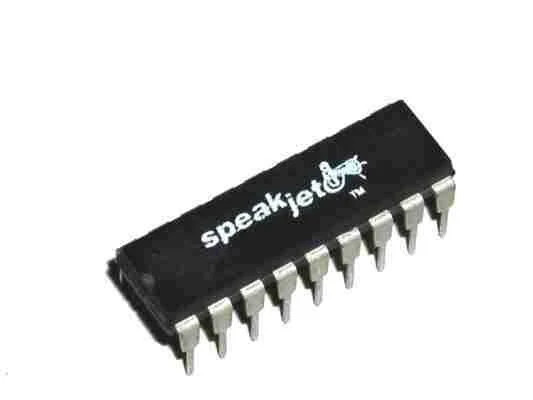
A new source of classic robotic voices: SpeakJet brought programmable speech and sound synthesis back to builders, retro consoles, and musical experiments.
Hear the SpeakJet →