Tandy Speech/Sound Cartridge
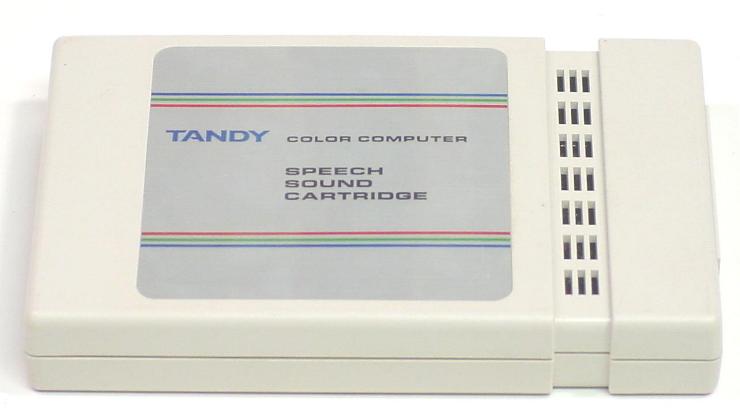
Image gallery
Find a Speech/Sound Cartridge for your collection
Explore eBay listings for Tandy and Radio Shack Speech/Sound cartridges.
Search eBay for Speech/Sound CartridgeSpeech, music, and effects in one cartridge
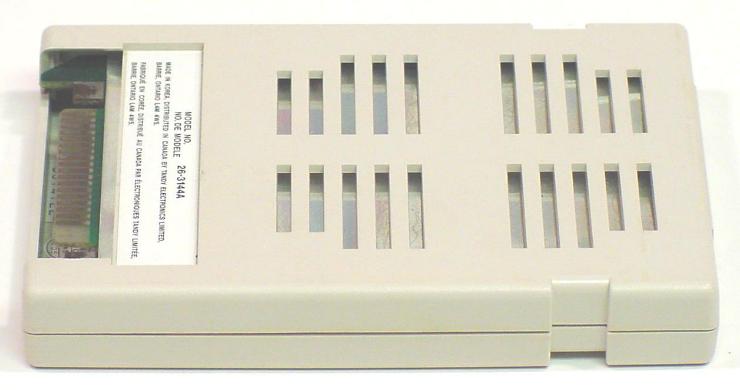
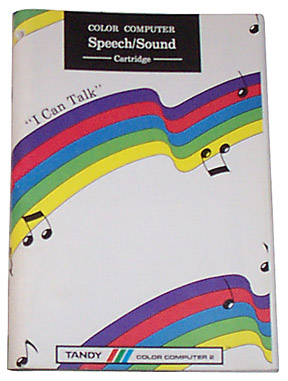
The Tandy/Radio Shack Speech/Sound Cartridge gave the Color Computer—better known as the CoCo—a voice and a three-channel music synthesizer in the same enclosure. Documented in Tandy’s 1984 owner’s manual, it combined speech, musical harmony, and programmable effects for games, educational software, and home-written programs. Two catalog versions are documented: 26-3144 and 26-3144A.
This was more than a speech chip attached to the expansion port. A dedicated controller managed the cartridge, leaving the computer to send text or commands. The audio traveled back through the cartridge connector and the CoCo’s sound circuitry to the television speaker. No separate speaker box was needed.
Three chips with different jobs
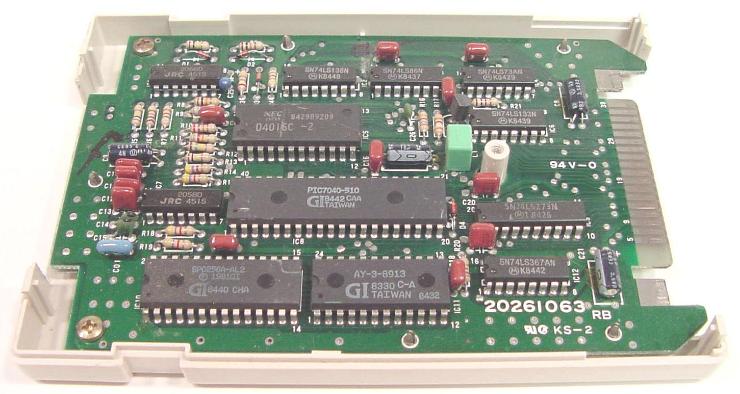
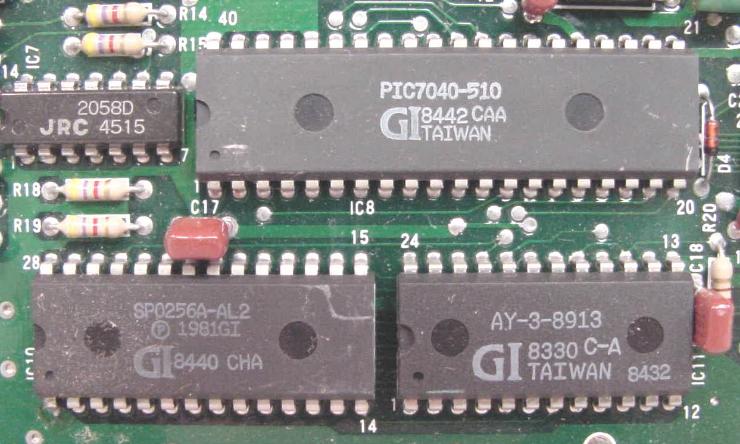
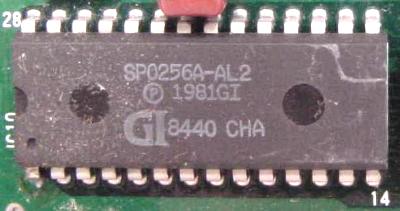
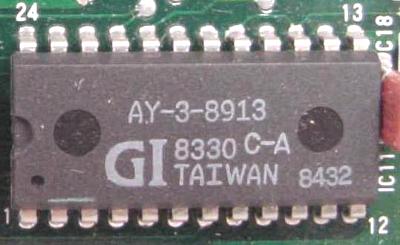
The SP0256-AL2 generated the voice from a built-in set of speech sounds and pauses. Its allophones could be combined into words instead of limiting the cartridge to a small dictionary of recorded phrases. An AY-3-8913 programmable sound generator supplied three tone channels, noise, volume control, and envelope shaping for music and effects.
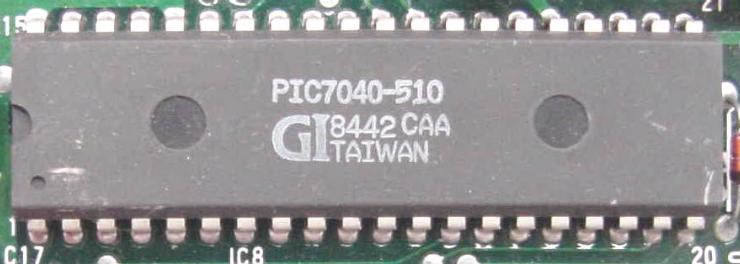
The controller is marked PIC7040-510 in the photographed cartridge. Tandy’s service manual identifies it as a General Instrument PIC 7040 with 4 KB of internal ROM. That firmware held both the pronunciation rules and a sound-command interpreter; a separate 2 KB static RAM supported working storage and buffering. The controller should not be confused with a CTS256-AL2 merely because both devices perform text-to-speech work.
The service documentation reveals a useful separation of clocks. The speech processor used its own 3.12 MHz ceramic resonator, while the controller and sound generator normally ran at approximately 1.79 MHz, derived from the CoCo’s clock. The analog circuitry filtered the speech signal and mixed it with the music and sound output.
From typed English to an electronic voice
A short BASIC or machine-language routine could send ordinary text to the cartridge. The controller applied English pronunciation rules and converted the text into allophone sequences for the SP0256-AL2. There was no fixed word list to exhaust, although automatic pronunciation still had its limits.
English spelling can be ambiguous. The manual illustrates this with “bow”: its default pronunciation suits a bow and arrow, while an alternative spelling, “BOU,” produces the sound wanted in “bow to the king.” Deliberate phonetic spelling was one way to guide the voice.
Programmers could also send allophone codes directly for finer control, unusual words, or experiments with other languages. The manual includes the code table and a demonstration that speaks “Color Computer.” The numbers recording below lets visitors hear the cartridge’s distinctive electronic accent.
A miniature sound system
The AY-3-8913 gave the cartridge three independent musical voices, with a shared noise generator and envelope generator. Tones could form chords; noise and changing amplitudes could suggest percussion, explosions, or other game effects. Speech and sound were generated separately, allowing a voice to accompany music.
Tandy provided both higher-level sound commands and a way to send register data for closer control of the generator. The owner’s manual includes a demonstration program, an organ, sound effects, a chromatic-scale reference, and a text-to-speech editor. It invited owners to experiment with the cartridge as an instrument as well as a narrator.
Remembering phrases and effects
The cartridge had eight speech buffers and eight sound buffers, each holding 64 characters or bytes. Longer sequences could span consecutive buffers. Once loaded, a stored phrase or effect could be triggered by a compact command rather than transmitted again each time it was needed.
Communication used a data/status register at $FF7E and a reset address at $FF7D. Software had to check the busy flag before sending another byte. Additional status flags reported speech and sound activity, helping programs coordinate an announcement with what was happening on screen.
Living with the CoCo’s expansion port
The cartridge occupied the Program Pak slot and had no cartridge pass-through. Tandy’s manual therefore called for a Multi-Pak Interface when it was used alongside a disk controller or another Program Pak. Cassette-based applications could use it directly in the computer’s slot.
The later CoCo 3 introduced another complication: double-speed operation. A modification guide by Bill Boogaart, Mario Dilallo, and Bruce Isted explains that the cartridge’s clock-doubling circuit could overclock its controller and sound generator at 1.78 MHz host speed. The sound could rise an octave, and the clock-driven negative supply could become inadequate for the analog circuitry. The guide describes changes for both cartridge revisions, with an additional warning about an older OS-9 driver.
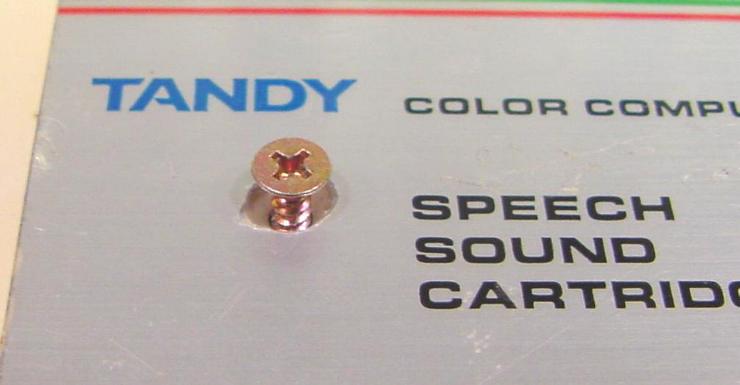
For collectors, these details explain why the same cartridge may behave differently across a CoCo setup. The service manual, schematics, and compatibility notes are available below. The gallery also shows the case screw hidden beneath the label—a small but useful detail when examining the hardware.
Hear the Speech/Sound Cartridge
Speaking the numbers
1 2 3 4 5 6 7 8 9 0
Specifications
- Manufacturer
- Tandy / Radio Shack
- Catalog numbers
- 26-3144 and 26-3144A
- Period
- 1984 owner’s manual; later CoCo 3 compatibility documentation
- Interface
- Color Computer Program Pak expansion port
- Speech processor
- SP0256-AL2 (SP0256A-AL2 marking on the photographed unit)
- Sound generator
- AY-3-8913
- Controller
- PIC7040-510
- Memory
- 4 KB controller ROM; 2 KB external static RAM
- Vocabulary
- Rule-based text-to-speech; direct allophone access
- Sound
- Three musical channels, noise, envelopes, and amplitude control
- Stored sequences
- Eight speech and eight sound buffers; 64 characters/bytes each
- Speech clock
- 3.12 MHz
- Controller and sound clock
- Approximately 1.79 MHz at normal CoCo speed
- Audio path
- Mixed speech and sound returned through the expansion connector
- CoCo compatibility
- CoCo 1 and 2; CoCo 3 high-speed operation may require modifications
Programming interface at a glance
| Address or control | Function |
|---|---|
| $FF7D / 65405 | Reset: write 1, then 0. |
| $FF7E / 65406 | Write command/data bytes; read status. |
| Status bit 7 | Low: previous byte has not yet been processed. |
| Status bit 6 | Low: speech is active. |
| Status bit 5 | Low: sound activity is detected. |
| Text terminator | Send carriage return (13); follow the manual’s pause-ending guidance. |
Documentation and downloads
- Owner’s manual
Programming tutorials, command maps, allophone codes, music tables, and demonstration programs.
- Service manual and compatibility notes
Schematics, parts list, circuit operation, troubleshooting, and an appended CoCo 3 high-speed modification guide.
- SP0256A speech processor datasheet
General Instrument speech processor technical reference.
- CTS256-AL2 text-to-speech controller datasheet
Reference for a separate text-to-speech controller; this is not the PIC7040-510 fitted in the photographed cartridge.
- AY-3-8913 sound generator datasheet
Programmable sound-generator technical reference.